Decision Wheel and Name Wheel: How to Make an Online Random Picker
Redi Gokaj · · 4 min read
On this page
- What Is a Decision Wheel and What Is It For?
- Name Wheel: Who Is Next?
- Drawing Lots: A Fair Online Random Picker
- Prize Wheel and Prize Draws
- Ready-Made Wheel Ideas
- How to Make an Online Wheel with QuizModeOn
- Live or 24/7?
- How to Make Your Decision Wheel Even More Fun
- Frequently Asked Questions
- Is an online wheel really random?
- How many options can a wheel have?
- Can I use the wheel to draw lots?
- Is spinning the wheel free?
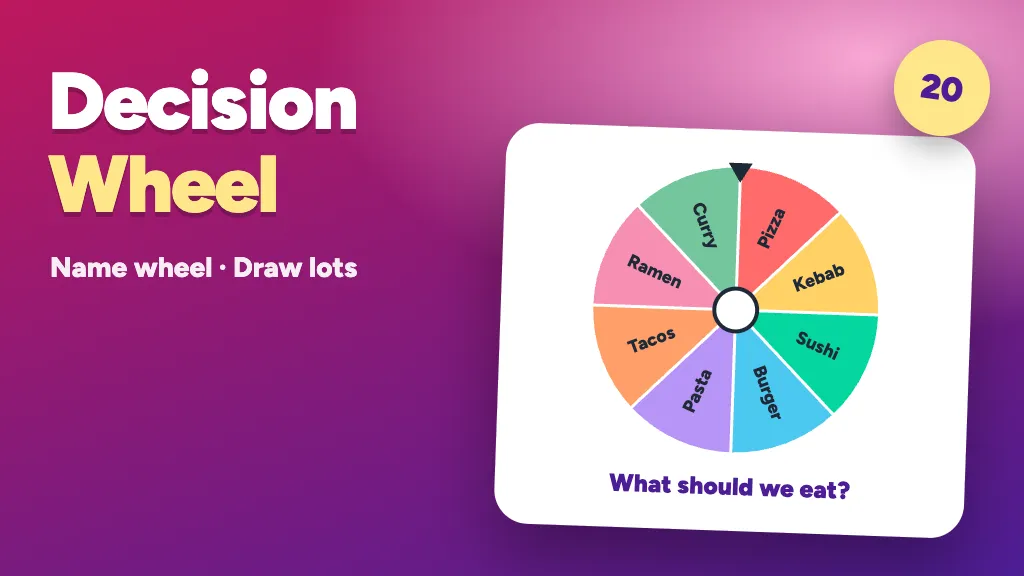
A decision wheel settles small but endless debates like "where should we eat?" or "who presents next?" with a single spin. You write the options on the slices, the wheel turns and it stops completely at random on one of them. The same wheel works as a name wheel for picking who goes next, as a fair way to draw lots, or for a small prize draw. In this guide you will find how to build an online wheel, ready-made wheel ideas, and how to use it live or 24/7 with QuizModeOn.
What Is a Decision Wheel and What Is It For?
A decision wheel is an online wheel whose slices hold your options. It spins and lands on one slice. Nobody can influence the result, so everyone accepts it. The argument ends and the decision becomes a fun moment.
- It saves time: A five-minute "what should we do" talk shrinks to a five-second spin.
- It is fair: Every slice has the same chance. No more "I am always the one picked".
- It is fun: Watching the wheel turn and waiting for the result adds energy to a meeting or a class.
Name Wheel: Who Is Next?
On a name wheel, each slice holds a participant's name. Whoever's name comes up is next. It helps when you need to:
- Pick who speaks or presents in a meeting
- Choose who answers the next question in class
- Choose a volunteer, a note-taker or a timekeeper
- Decide who plays first on game night
Tip: keep the names short. On the QuizModeOn wheel each slice holds up to 15 characters, so short forms like "Ann K." keep the wheel readable.
Drawing Lots: A Fair Online Random Picker
Drawing lots is the classic way to hand out a task or a right without favoring anyone. Instead of pulling paper slips from a hat, an online wheel shows the result on everyone's screen at the same moment. It fits:
- Splitting people into teams or groups
- Assigning tasks and duties
- Setting turn order or seating
- Settling who joins which group at an event
A big decision wheel list may not fit in 20 slices. In that case use the wheel in rounds: pick the group first, then the person.
Prize Wheel and Prize Draws
A prize wheel has gifts or small rewards written on its slices. When it stops, everyone sees right away which gift came up. For gift draws you have three options:
- Spin Wheel: Quick and showy for a few gifts or people. Everyone watches the winner live.
- Lucky Pick: A fuller method where you upload a long list and draw winners prize by prize on the big screen.
- Prize Wheel: For campaigns that need prizes shown as pictures, stock and distribution rules.
Ready-Made Wheel Ideas
Copy these decision wheel lists straight into your wheel. All fit the 15-character limit.
Food decision wheel (12 slices): Pizza, Kebab, Tacos, Sushi, Burger, Pasta, Ramen, Wraps, Curry, Salad, Falafel, Dumplings.
Meeting wheel (8 slices): Take the notes, Bring coffee, Ask a question, Sum it up, Pick the song, Take a break, Open the deck, Start round 2.
Celebration and icebreaker wheel (8 slices): Buy a coffee, Pick a song, Dance, Tell a joke, Compliment, Take a selfie, Impression, Applause.
Movie night wheel: Comedy, Adventure, Animation, Documentary, Sci-fi, Musical, Family, Classic.
Change the slices to fit your team. The best wheel has an inside joke on it that everyone laughs at.
How to Make an Online Wheel with QuizModeOn
In the QuizModeOn Spin Wheel game you set up your wheel in a few steps:
- Add the slices: Up to 20 slices, each up to 15 characters. Names, options, tasks or gifts.
- Choose a theme: Add your logo and brand colors; the logo sits in the middle of the wheel.
- Create the event: Pick the flow and set the participant limit and PIN code.
- Spin the wheel: The result appears on everyone's screen.
At the end you get an Excel report with the results of all spins. For a full walkthrough see How to host a Spin Wheel event with QuizModeOn.
Live or 24/7?
- Live: Only the host spins the wheel. Participants watch it spin on their own phones. Good for meetings, classes and the stage.
- 24/7: Each participant joins whenever they like and spins their own wheel. Good for campaigns and remote events.
How to Make Your Decision Wheel Even More Fun
- Two-step wheel: Spin a team wheel first, then a name wheel for someone from that team.
- Task wheel: Whoever is picked does the short task written on the slice.
- Quiz break: Every 5 questions, spin the wheel for bonus points or a perk. See our quiz guide.
- Small prize: The prize does not have to be big. The best wheels run on simple rewards like a coffee.
Frequently Asked Questions
Is an online wheel really random?
The QuizModeOn decision wheel stops completely at random and nobody can influence it. Every slice has the same chance of being picked.
How many options can a wheel have?
You can add up to 20 slices, each up to 15 characters.
Can I use the wheel to draw lots?
Yes. It suits splitting tasks, forming teams and setting order. The results are kept in the Excel report.
Is spinning the wheel free?
You can host free events for small groups. See the pricing page for details.
If you like wheels, also read The history of the spinning wheel game and our 100 brain teasers.

Written byRedi GokajCo-Founder · QuizModeOn